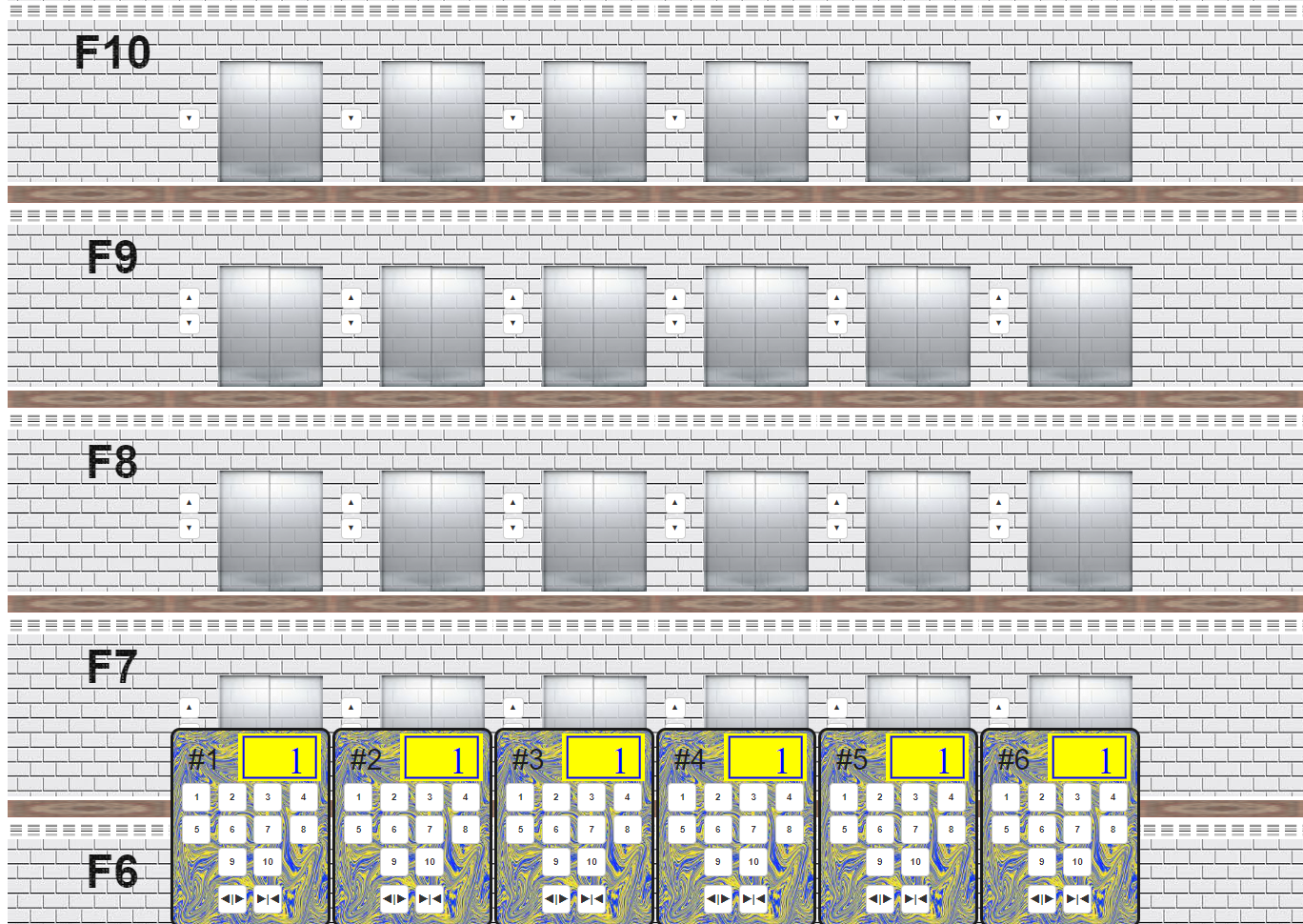
A web-based elevator simulation that models multiple elevators working together to maximize efficiency and minimize power consumption. The number of elevators and floors is configurable in config.js.
Elevator-Web-App/
├── index.html                    # Entry point, loads all scripts
├── js/
│   ├── config.js                 # Constants and configuration
│   ├── utils.js                  # Queue data structure, helper functions
│   ├── elevator-system.js        # Core elevator logic (~740 lines)
│   ├── building_display.js       # UI rendering and animation (~369 lines)
│   └── binding.js                # Event handlers for user interactions
├── css/
│   ├── style.css                 # Building layout and styling (CSS Grid)
│   └── lib/UnidreamLED/          # Custom LED font for floor display
└── images/                       # Textures, backgrounds, button assets
Scripts load in order: utils.js → config.js → building_display.js → elevator-system.js → binding.js. On document ready, set_building_configs_and_rebuild() creates elevator objects, initializes outdoor button states, renders the building UI, binds event listeners, and starts all elevators.
| Parameter | Default | Description |
|---|---|---|
elevator_nums |
6 | Number of elevators |
floor_nums |
10 | Number of floors |
toggle_door_secs |
1500ms | Door open/close animation duration |
moving_speed_millisecond_per_pixel |
5 | Elevator movement speed |
waiting_for_enter_duration |
1500ms | Time door stays open for passengers |
mode_start_waiting_time |
2000ms | Delay before auto-mode engages |
- Direction:
UP (1),DOWN (-1),STILL (0),WAITING_FOR_CHANGING (2) - Door states:
CLOSED (0),CLOSING (1),OPENED (2),OPENING (3) - Auto-mode:
RUNNING (0),STARTING (1),CLOSED (2)
Each elevator maintains:
now_floor_no— current floor positionnow_direction— current travel directionmoving— whether the elevator is in motiondoor_state— current door stateauto_mode_state— dispatch mode stateindoor_switches[]— array of requested floor buttons (ON/OFF per floor)indoor_activated_switches_num— count of active floor requestsrecent_opened_switches— Queue tracking recent requests for anomaly detection
elevators[]— array of all elevator objects (1-indexed)outdoor_buttons_state[][]— 2D array of up/down button states per floornumOfEleInFirstFloor— counter for ground-floor elevator availability
Custom queue implementation supporting push, pop, front, back, isEmpty, size, indexSatisfy(predicate), and removeElementByCondition.
The main decision loop that determines where each elevator should go next:
- Collect requests — builds a
ReqPerFloor[]array counting other elevators at each floor (excludes self to avoid collision) - Handle idle state — if no requests exist, return to floor 1 (unless another elevator is already there), then wait and retry
- Group request intervals — identifies contiguous floor ranges with active requests, stored as
{st, ed, len}segments - Select target — finds the farthest interval with the most requests. If the elevator is within an interval of similar size (within 1 floor), it serves that interval instead. Moves to the midpoint of the selected interval
- Execute movement — calls
move_up()ormove_down()toward the target, then recurses
A random 1–300ms delay between decision cycles prevents elevator synchronization.
Handles outdoor call buttons (up/down at each floor) with prioritized selection:
- Same floor — prefer a stationary elevator already at the requested floor, or one moving in the same direction
- Closest below — for UP requests, find the nearest stationary elevator below
- Closest above — for DOWN requests, find the nearest stationary elevator above
- Opposite direction fallback — if no ideal match, try an elevator heading the other way
Uses a 1.8x threshold: the elevator only continues in a direction if the ratio of floor requests to competing elevators in that direction meets or exceeds 1.8. This prevents congestion and ensures balanced distribution across the fleet.
When an elevator reaches a floor:
- Update the floor display
- Check if the door should open (indoor button, outdoor button in current direction, or active requests)
- If yes: open door → wait for passengers → close door →
check_and_move() - If no: continue moving
- Floor buttons (1–N): toggle a floor request ON/OFF via
toggle_indoor_switch() - Open door button: reopens the door if closing or idle (no effect while moving)
- Close door button: skips the wait period and closes immediately
- Up/Down buttons: toggle the call button and trigger
dispatch_request()to assign an elevator - Visual feedback: active buttons turn yellow, inactive are white
CSS Grid defines the building structure:
- Columns: side wall, N elevator shafts, side wall
- Rows: ceiling, floor walls (one per floor), ground
controller_move_up()/controller_move_down()— animate one floor at a time using jQuery.animate(), adjusting the elevator'stopposition and cableheightcontroller_directly_go_to_floor()— instant repositioning (used during initialization)- Door animation splits into
.door-leftand.door-rightelements with CSS width transitions
- Floor numbers shown using the UnidreamLED custom font
- Direction indicators:
↑(up),↓(down), blank (still),C(mode changing),A(auto-mode)
Prevents button spam:
- Tracks requests in a 3-second sliding window
- If more than 4 requests arrive within the window, all are cancelled
- Hard cap of 13 concurrent active indoor switches per elevator
- Idle positioning: elevators return to floor 1 when idle, reducing average wait time
- Request grouping: identifies contiguous request clusters and moves to their midpoint
- Load balancing: the 1.8x threshold distributes work across elevators and prevents pile-ups
- Non-deterministic timing: random delays prevent elevators from moving in lockstep
- Direction stability: elevators only reverse when sufficient requests justify it
Uses nested callbacks with jQuery animations:
open_door() → wait_for_closing() → close_door() → check_and_move()
check_mode_and_callBack() allows manual requests to interrupt auto-dispatch cycles, ensuring the elevator remains responsive to user input at all times.
5.0.1